

LIGHT GUNS
If your machine includes any ACCESSORIES (added peripherals such as Light Guns, Steering Wheels, Guitar Hero, Flight Stick) then please use the ACCESSORIES option in the MAIN MENU to launch your game. This special menu includes the extra coding needed to link sync your hardware into the game. More on navigation can be found in the NAVIGATION section of this site.
Example: You can find AREA 51 in the ‘ARCADE CLASSICS’ section but if you launch it from there the Guns may not sync - simply launch from the Accessories menu and you’re good to go!
Light Gun Hub (Retroshooter ‘Reaper’)
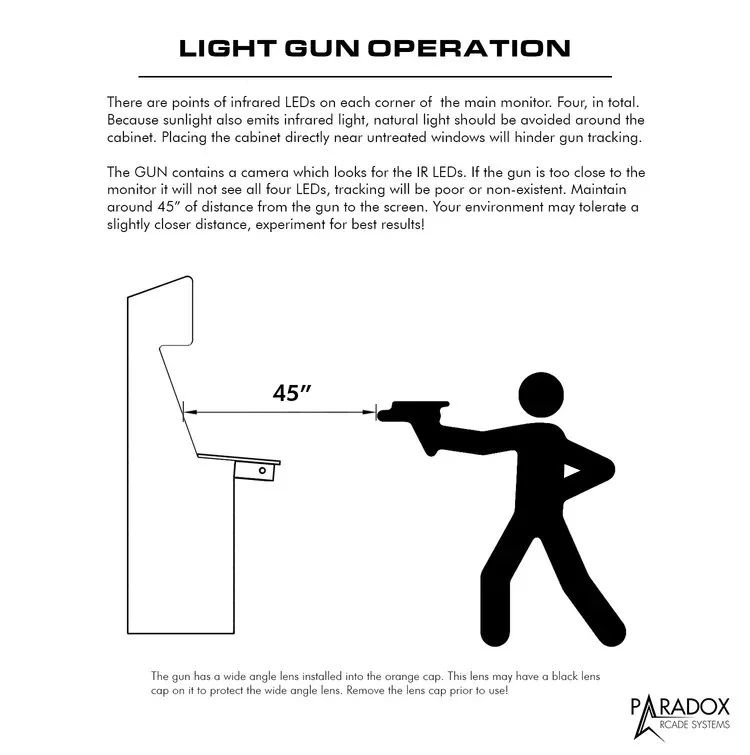
Light guns or USB wired controllers are connected via the USB Hub ports under your control panel, at the top of the kickplate. Light Gun recoil is plugged in at the USB Hub. Time Crisis pedals are plugged into the female barrel jack on the gun cable.
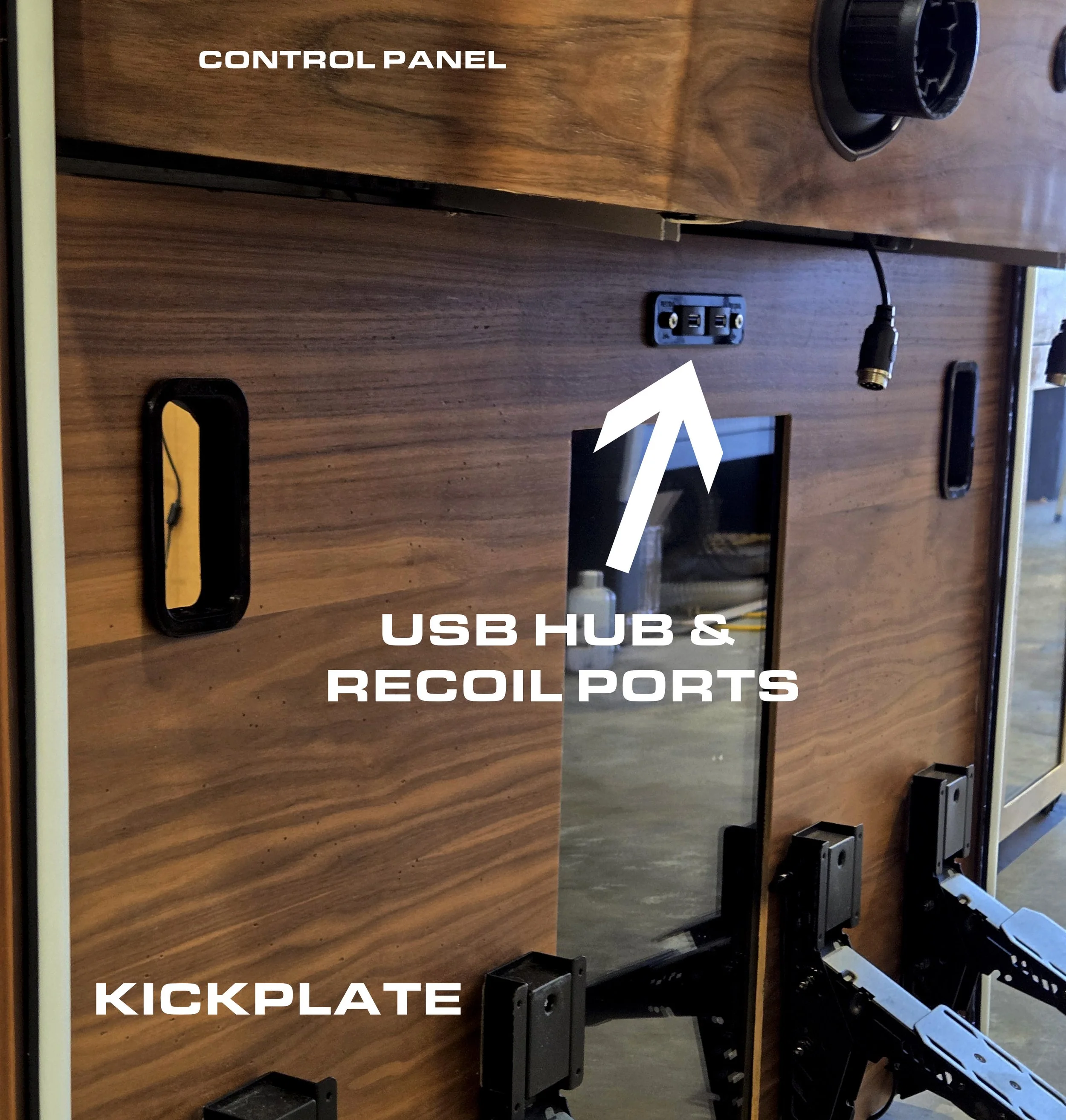
USB Hub Location
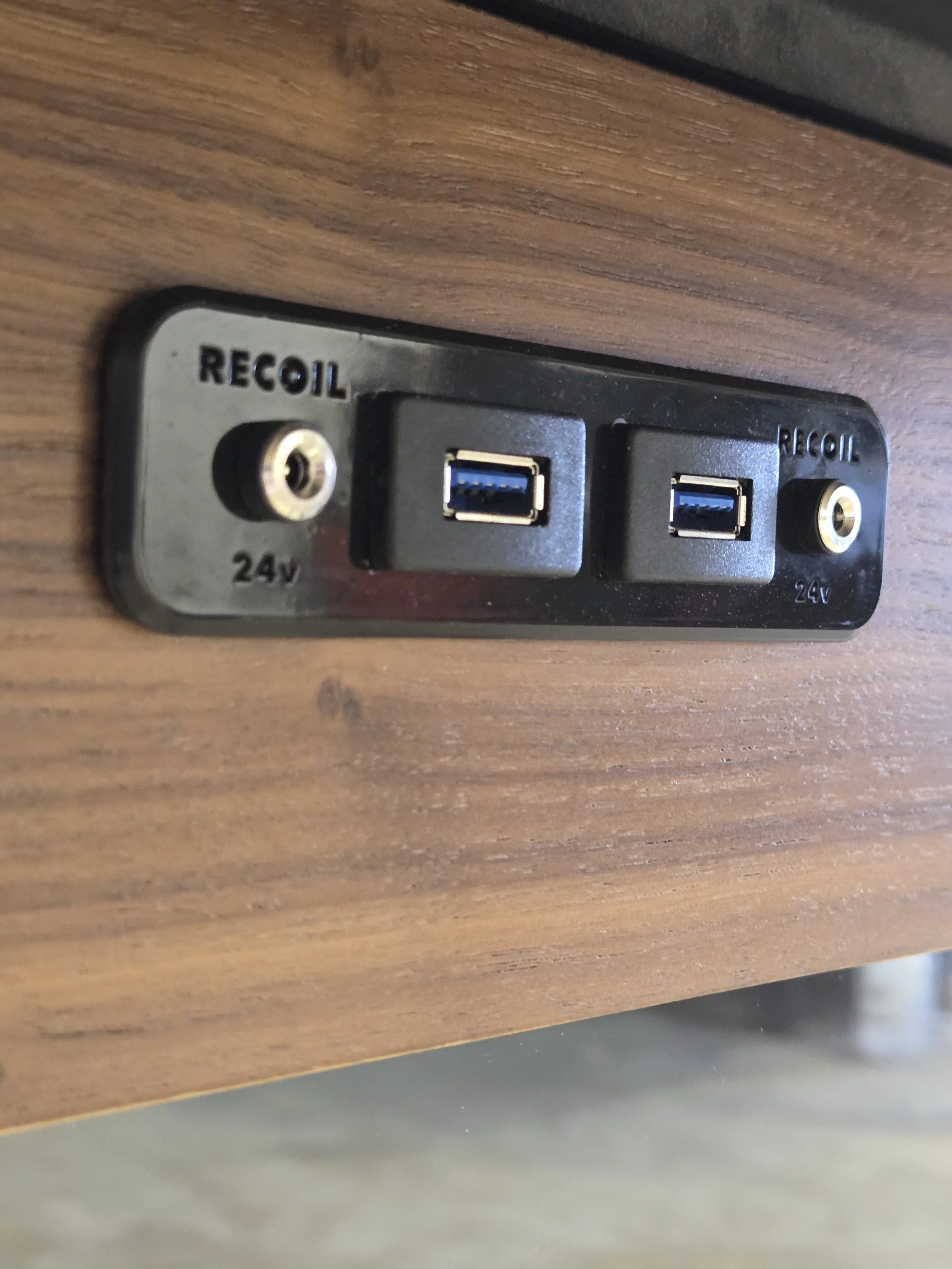
USB HUB & RECOIL PORTS - Connect either light guns or USB wired controllers here!
[Pre-2026 light gun connections]
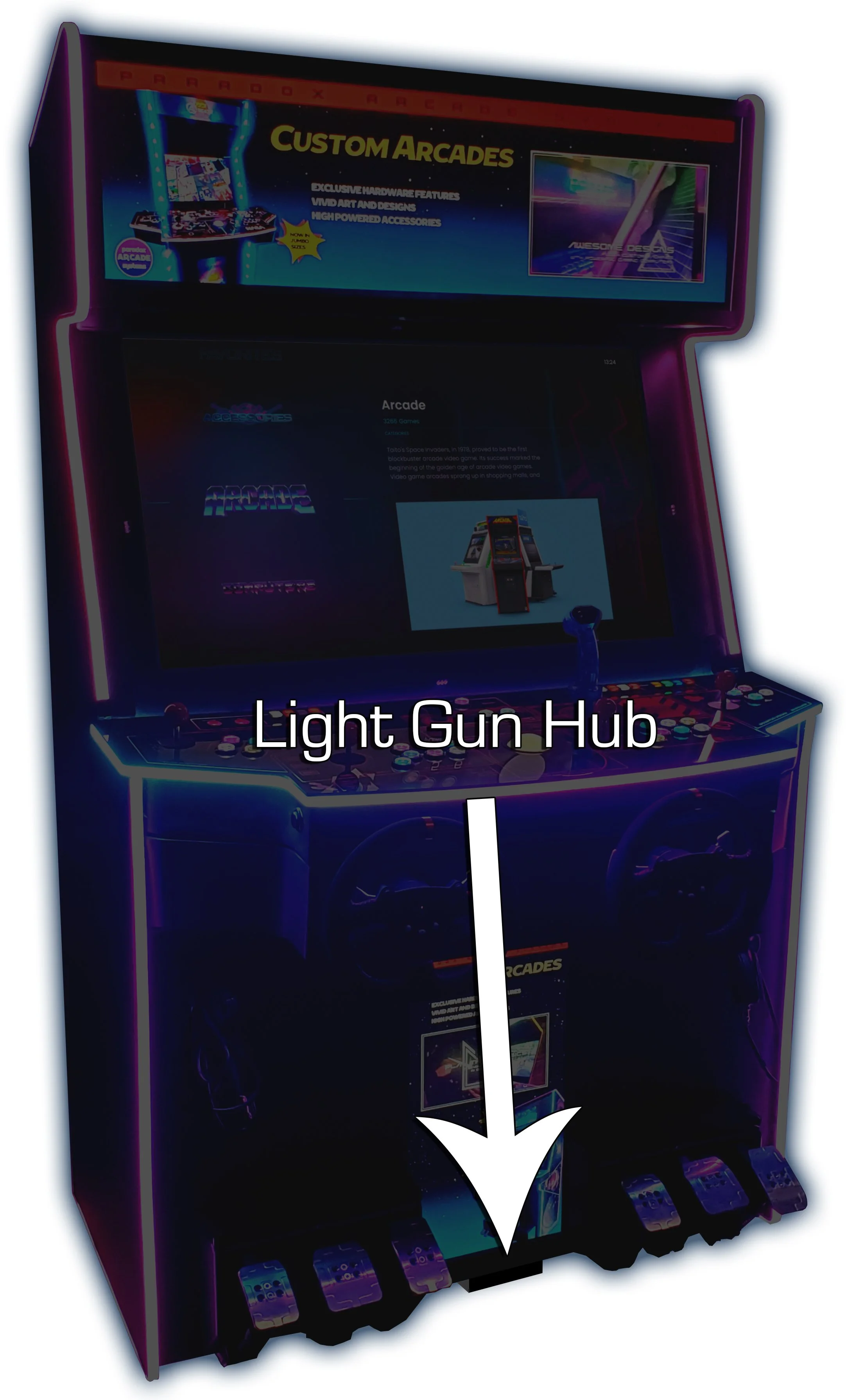
Hub located at the bottom middle of the cabinet
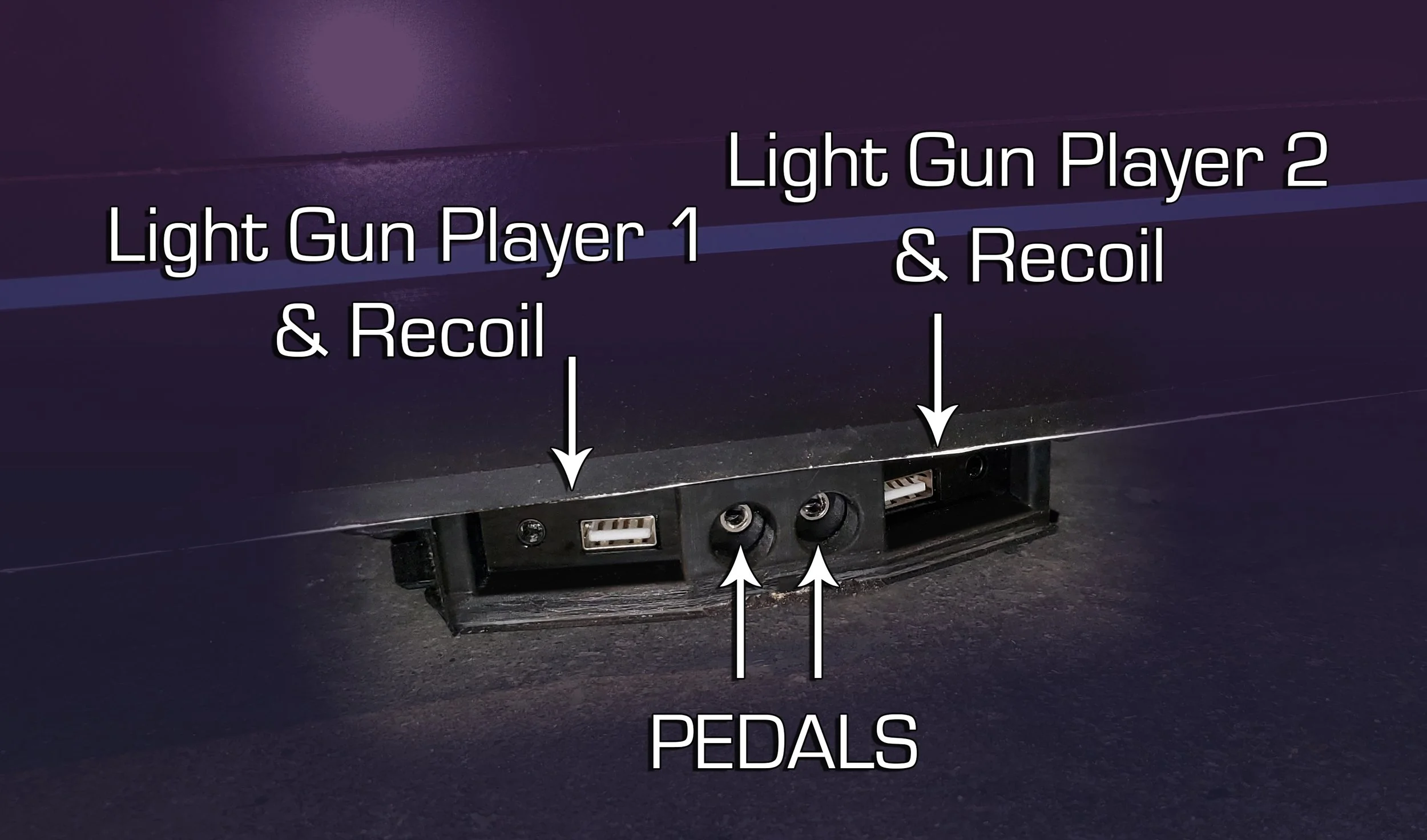
The two left parts are for Player 1 Gun (Black Gun) which are USB and 24v recoil, the two right ports are for Player 2 gun (Grey Gun).
The two center holes are for the foot pedals, used in Time Crisis. The pedals are shipped in the very back of the drawer, accessible by removing the upper read door.
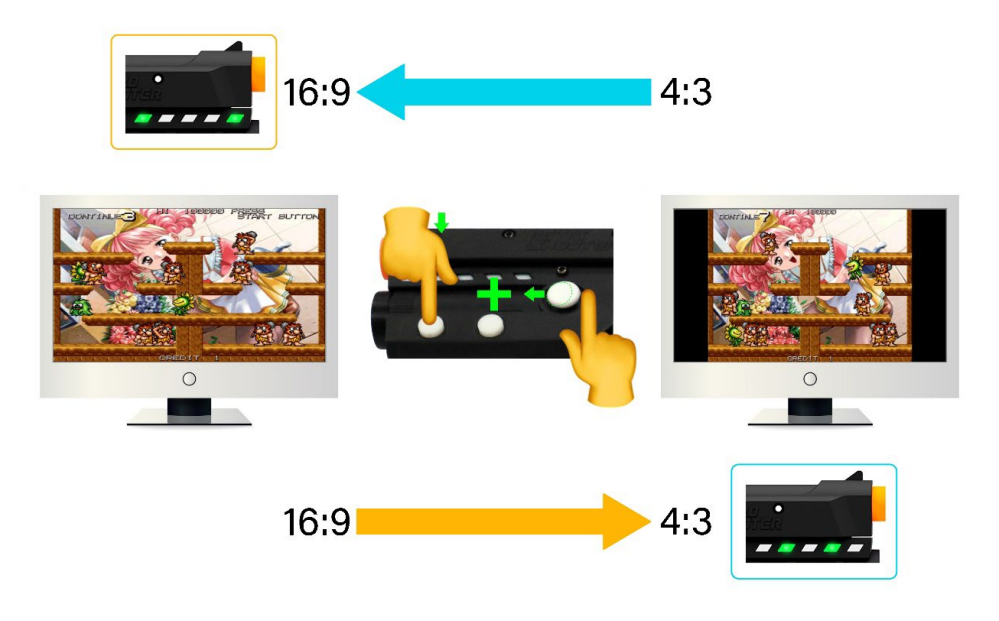
If you’re playing a 4:3 aspect ratio game and want improved accuracy please use the button combination on the guns as seen in the image to switch to 4:3 mode. Switch back to 16:9 mode using the same button combo!
RACING WHEELS
Thread the steering wheel onto the steering collar firmly. If it’s too loose the signal may disconnect, so check the collar if you’re having intermittent connectivity.
Turn the wheel “ON”
For “ULTRA” wheels [starting late 2025] (leather grip): there’s a small white button on the back of the wheel motor for POWER - press that! See pic for reference.
Total wheel rotation and overall FFB strength is adjusted in the app.
Non-ULTRA wheels (suede grip); suedeuse the small white remote and press the ON buttons to turn on the Force Feedback function. The wheel will auto-rotate back and forth for calibration before returning to center. At this stage the wheel is ready to use and you can launch your game.
Rotation is switched between 900° and 270° using a red switch on the back of the wheel motor, leave it at 270! Overall FFB strength can be adjusted in the app.
360 Games on FFB Wheel
For older arcade games (pre-1990s) which used a 360 wheel you can leave the Force Feedback OFF for better feel.
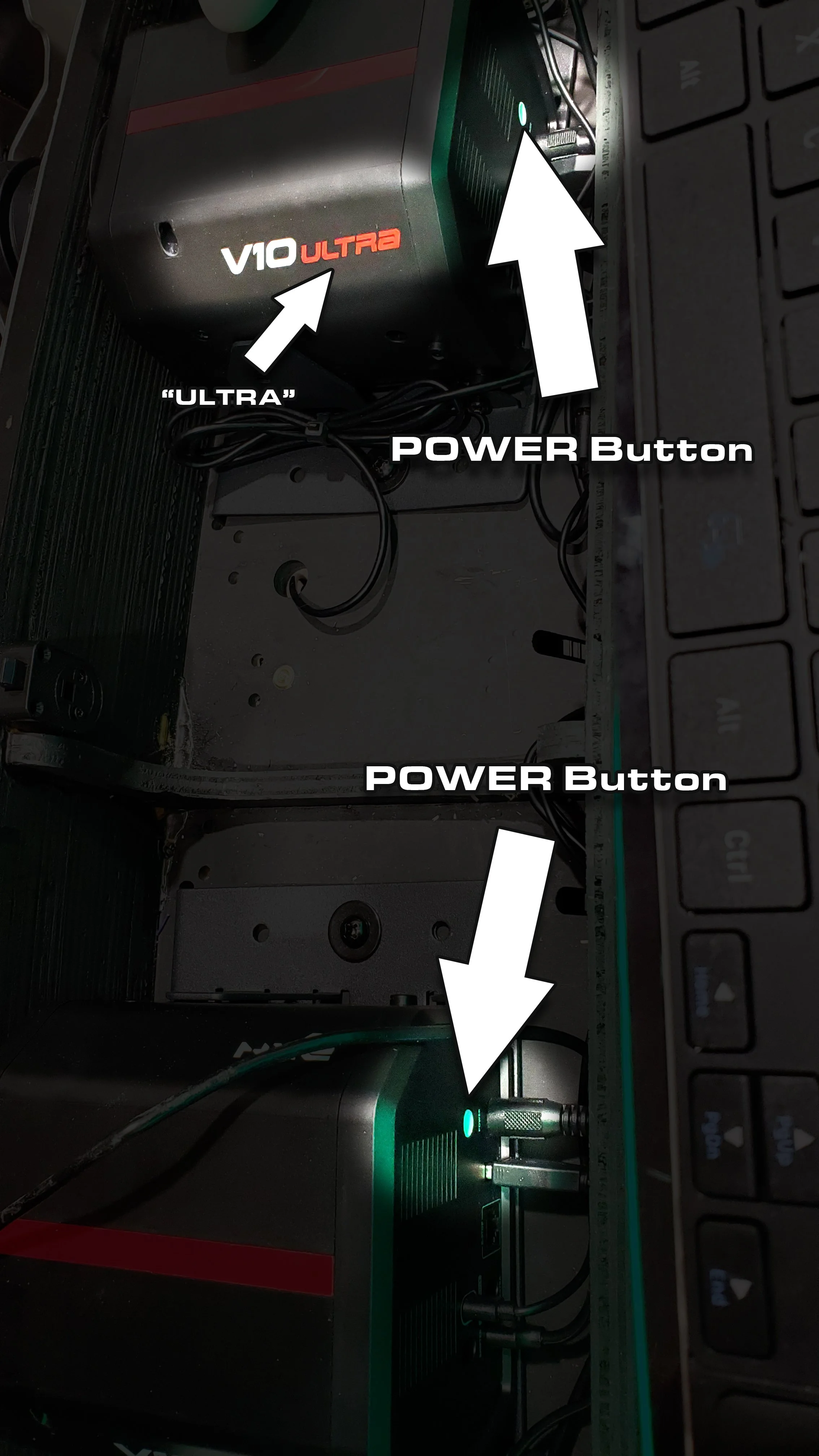
ULTRA wheel power buttons
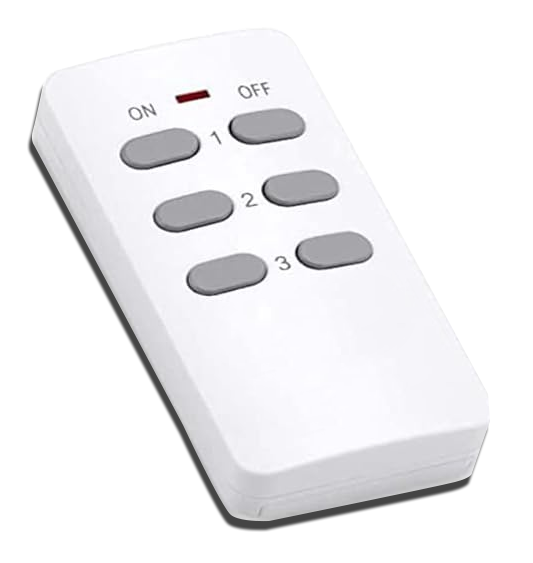
Force Feedback Remote; non-Ultra wheels

Non-Ultra Auto-Rotate Calibration

Fasten the shifter plates under the control panel for mounting the racing shifters. Certain games require the shifter (90s Sega Racers such as Daytona 1 & 2, Sega Rally 1 & 2 etc) and may not load without the shifter connected. In all other games it’s optional.
